
Download Magic Colors – Selective Color Editing, Image Enhancement, Photo Editing Tool
Overview
Magic Colors is a lightweight, user-friendly image-editing tool designed for selective color correction and creative photo enhancement. The app enables users to modify specific areas of an image without altering the rest, making it ideal for targeted adjustments such as changing the color of a sky or enhancing the vibrancy of a subject. This focused approach simplifies the editing process, especially for those who want quick, visible improvements without the complexity of full-featured photo editors.
Designed for both beginners and casual users, Magic Colors addresses the common challenge of achieving professional-looking edits with minimal effort. Its primary purpose is to provide intuitive access to selective editing and visual feedback through a before-and-after comparison. This functionality supports real-world use cases such as improving landscape photos, adjusting clothing colors in portraits, or adding artistic flair to everyday snapshots.
The app falls within the Photography category and contributes to the mobile editing ecosystem by offering a streamlined alternative to more complex tools. While it does not include advanced features like layering or RAW processing, its simplicity makes it accessible to users seeking fast, reliable results. The developer, Magic Colors, has not provided additional background information, but the app’s long-standing presence since 2011 suggests a stable, focused product.
Key Features & Functionality
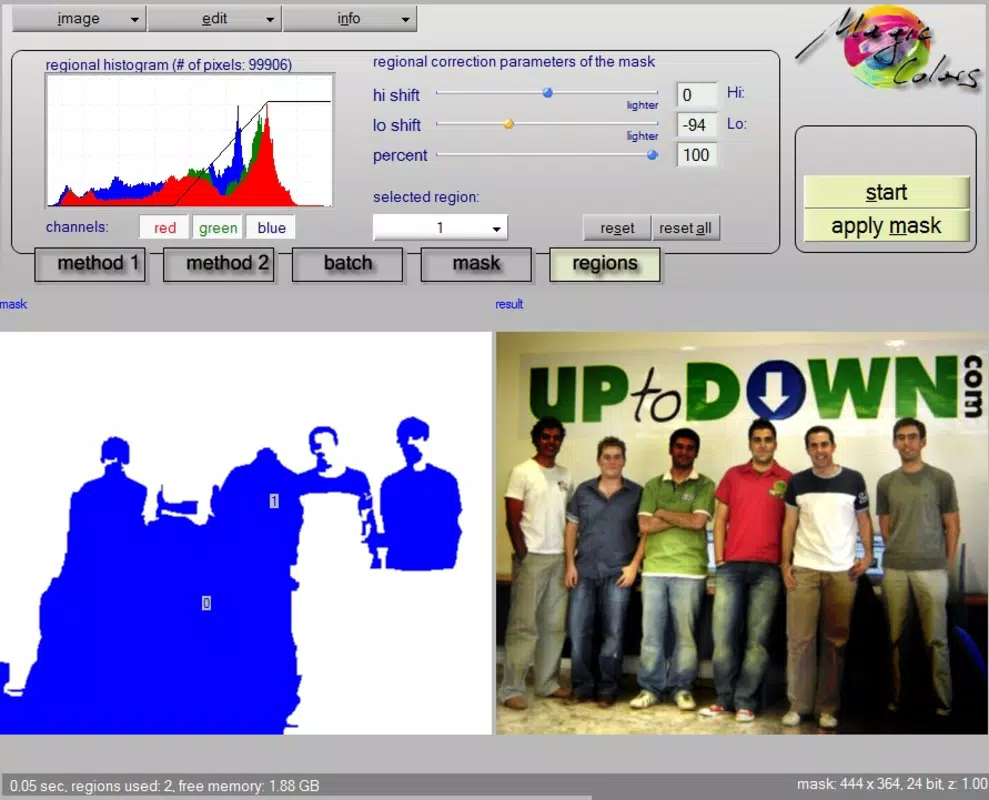
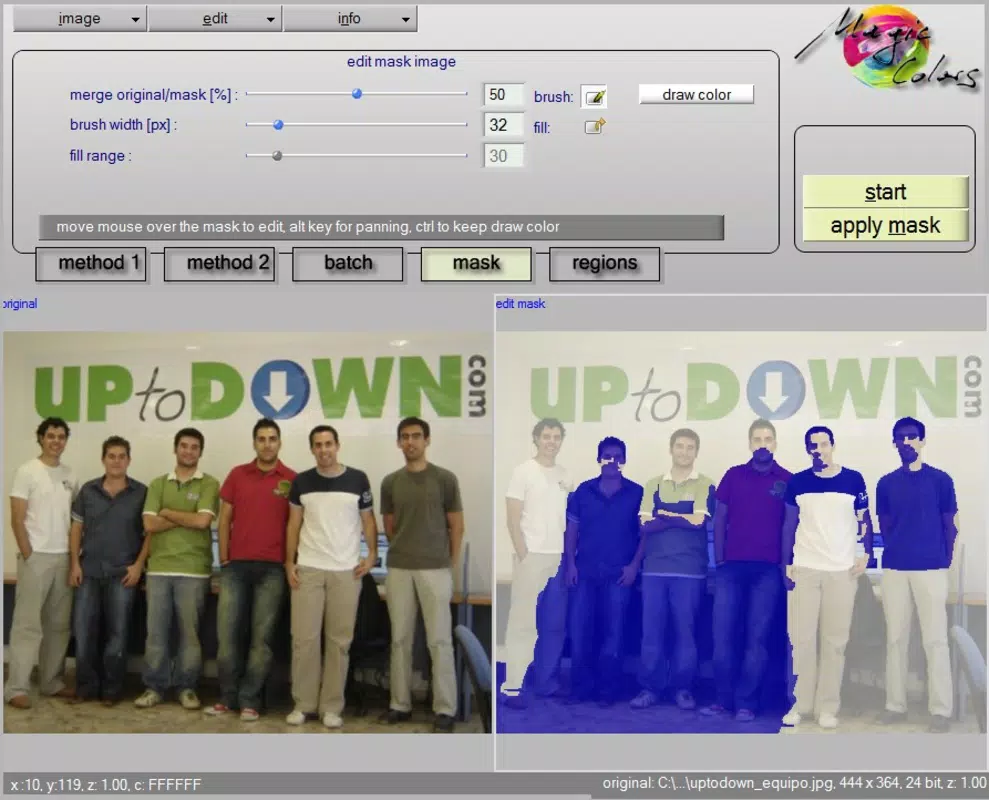
- Selective Editing: Users can isolate and modify specific regions of an image, such as adjusting the hue of a sky or enhancing the color of a flower, while preserving the rest of the photo’s original appearance.
- Intuitive Interface: The app features a clean, straightforward layout with minimal controls, allowing users to navigate the editing workflow with ease, even without prior photo editing experience.
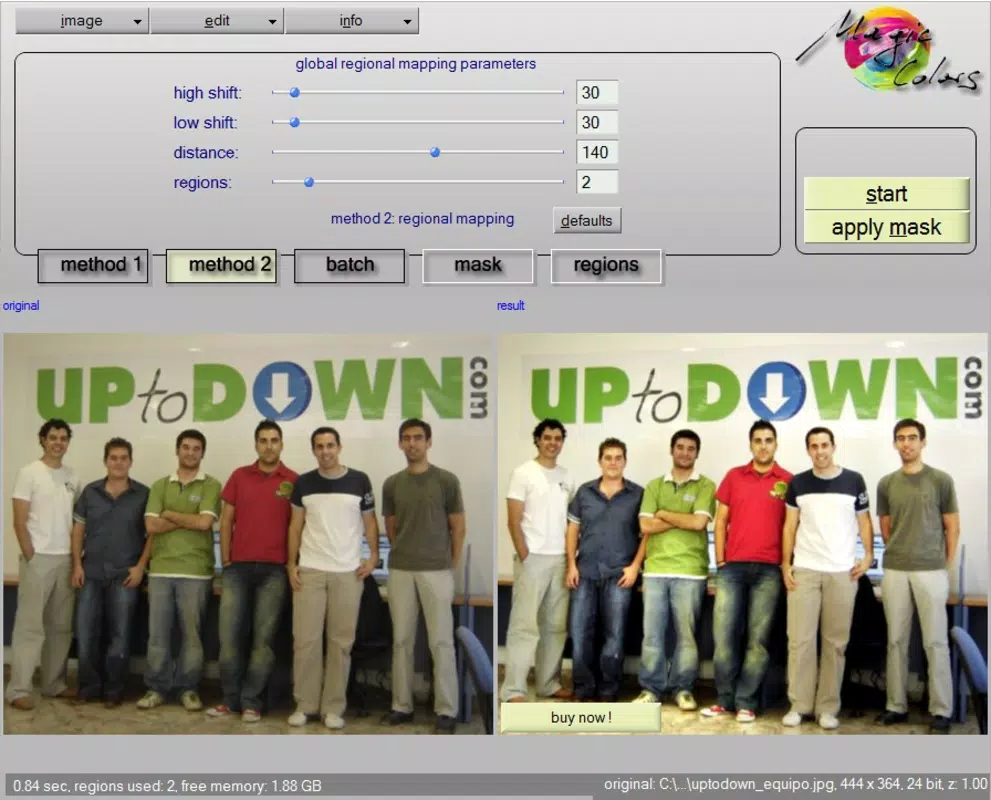
- Before and After Comparison: A built-in side-by-side view enables users to assess the impact of their edits in real time, helping them determine whether adjustments are sufficient or require refinement.
- Stunning Effects: Despite a limited feature set, the app delivers visually appealing effects that can transform ordinary images into more dynamic and engaging visuals.
- Quick Results: The editing process is optimized for speed, allowing users to experiment with settings and achieve noticeable improvements in just a few taps.
For example, a user might take a dull sunset photo, use the selective editing tool to brighten the sky, and immediately compare the original and edited versions to confirm the enhancement. This workflow is particularly useful for social media content creators or travelers who want to elevate their photos on the go.
Interface, UX & Performance
Magic Colors features a minimalist interface focused on core editing functions, with controls arranged in a logical, easy-to-access layout. The visual design emphasizes usability over ornamentation, ensuring that users can concentrate on their edits without distraction. Navigation is straightforward, with a clear path from image selection to final adjustment and preview.
Although the developer did not list formal performance metrics, the app’s small file size of 1.8 MB suggests optimized resource usage, which likely contributes to smooth operation on a range of Android devices. The app responds promptly to touch inputs, and transitions between editing modes are fluid, indicating stable performance across different device categories.
Users can expect consistent behavior during editing sessions, with no reported crashes or freezes. The app maintains responsiveness even when handling moderately sized images, though performance may vary slightly depending on device hardware. Stability is further supported by the app’s long availability since 2011, indicating reliable maintenance over time.
Platform Compatibility & Technical Requirements
Magic Colors is available exclusively on the Android platform. The app runs on Android devices with a software version of 1.0.1, though specific minimum OS requirements were not listed. The file size is 1.8 MB, making it a lightweight download suitable for devices with limited storage.
Compatibility information was not fully disclosed, so users should ensure their device supports the app’s functionality. The developer did not specify any hardware or memory requirements, nor did they mention support for tablets or other form factors. For users seeking broader compatibility, it is recommended to verify device specifications before installation.
Pros and Cons
Pros
- Simple, intuitive interface ideal for beginners and casual users
- Efficient selective editing for targeted photo enhancements
- Real-time before-and-after comparison for visual feedback
- Lightweight size (1.8 MB) ensures quick installation and low storage use
- Free to download and use with no in-app purchases
Cons
- Limited feature set compared to full-featured photo editors
- No advanced tools such as layers, filters, or RAW editing
- Platform availability restricted to Android only
- Developer did not provide detailed technical or compatibility information
- Version history and update frequency not disclosed
FAQ
Is Magic Colors safe to download and use?
Yes, Magic Colors is a free app available on the Android platform. It does not require excessive permissions and has a small file size, reducing potential security risks. As with any app, users should download from trusted sources.
Can I use Magic Colors on my tablet?
While the app is designed for Android devices, the developer did not specify support for tablets. Compatibility depends on the device’s operating system and screen size, but no official tablet optimization has been confirmed.
Does Magic Colors support iOS devices?
No, Magic Colors is currently only available for Android. There is no information indicating future iOS support.
How often is Magic Colors updated?
The developer has not disclosed update frequency or version history. The app’s last known version is 1.0.1, released in 2011, but ongoing maintenance status remains unclear.
Is Magic Colors free to use?
Yes, the app is free to download and use with no in-app purchases or subscription fees. It remains accessible to users without financial commitment.
Final Thoughts + CTA
Magic Colors stands out in the photography app landscape for its simplicity and focused functionality. While it lacks the depth of professional-grade tools, its ability to deliver quick, targeted edits with visual feedback makes it a valuable utility for everyday users. The app’s lightweight design, intuitive interface, and free access position it as an excellent choice for those who want to enhance their photos without complexity.
Whether you're a beginner exploring photo editing or a casual user looking to improve your social media content, Magic Colors offers a streamlined path to better visuals. Its selective editing and before-and-after comparison features provide meaningful control without overwhelming the user.
For anyone seeking a straightforward, no-cost solution to image enhancement on Android, this app delivers consistent value. Download Magic Colors now


